New:
Discover what’s happening at Nomic

Redesigned Workflow Builder Agent

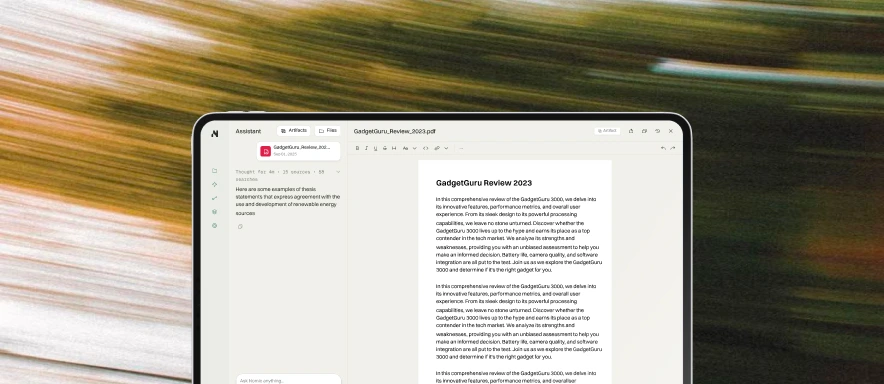
The workflow builder agent has been upgraded, and can now edit existing workflows in addition to creating new ones. Describe what you want your workflow to accomplish, and the agent will draft prompts, recommend models, and configure inputs, applying workflow best practices to produce efficient and accurate results.

Redesigned Workflow Builder Agent

A new collaborative interface lets you work alongside the agent — review its suggestions, make adjustments, and iterate in a single view. Every change the agent proposes appears directly in the workflow form, so you can refine the details without switching between screens or losing context. Learn more about the workflow builder assistant.

Revamped Projects Experience

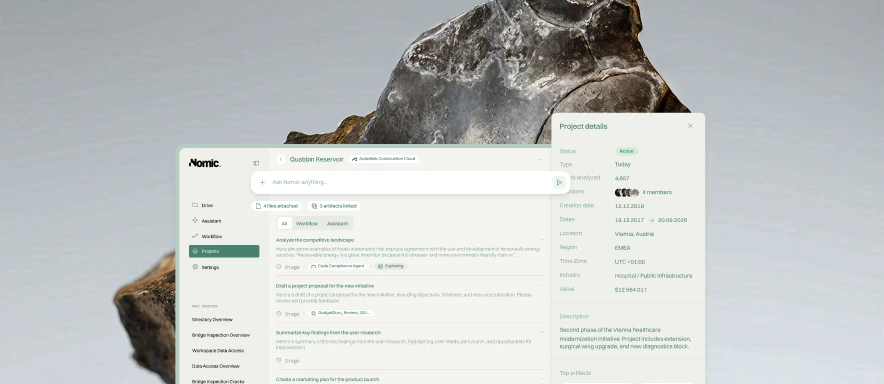
Projects have received a major overhaul. Each project now has its own dedicated sidebar, a files and context page, and built-in workflow support. Create, assign, and run workflows directly within a project. Sessions can be shared across your organization, with separate "My sessions" and "Shared sessions" views and a search bar to find conversations quickly. Learn more about Projects.

Org-Wide and User-Based Spend Limits

Admins can now set AI spend limits at both the organization and individual user level. When a limit is reached, usage pauses automatically, preventing surprise costs. Configure limits from the admin settings panel to match your team's budget and usage patterns. Learn more about admin settings.

Enhanced Image Analysis

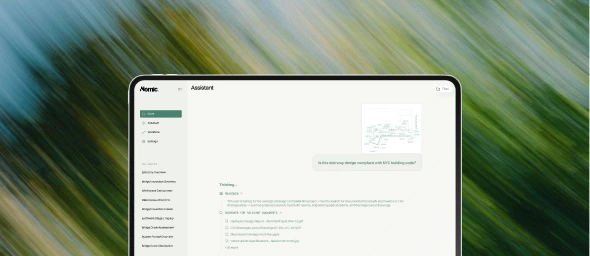
The assistant can now zoom into specific regions of drawings and images during analysis. When reviewing a drawing set or inspecting a detail, the assistant identifies the relevant area and focuses on it, delivering more precise observations and fewer missed issues. Learn more about drawing review.

Also new

  • "Ask for clarification" — The assistant can now ask follow-up questions when a request is ambiguous, rather than guessing at your intent
  • Context usage indicator — A visual dial in the chat bar shows how much context the current conversation is using, so you know when to start a new thread
  • Workflow analytics for admins — A new admin section provides detailed visibility into workflow runs, usage, and performance across your organization (analytics & monitoring docs)
  • Interactive diagrams — Nomic can now create interactive diagrams directly in the conversation
  • Improved drawing review citations — Reviews that reference multiple drawings now display citations more clearly, making it easier to trace findings back to the correct sheet

Autodesk Construction Cloud Integration

Nomic now connects directly to Autodesk Construction Cloud (ACC), bringing your BIM 360 and ACC project data into the same AI-powered workspace as the rest of your firm's knowledge.

Autodesk Construction Cloud integration

Import projects with their existing access permissions, and Nomic will continuously sync your files — drawings, specs, submittals, and project documents — without any manual uploads. Your team keeps working in ACC while Nomic indexes everything in the background, ready for assistant conversations, workflows, and drawing review.

Connect ACC from the integrations admin panel and select which projects to import. Nomic manages service account access automatically, so new files are picked up as your project evolves. Learn more about the ACC integration.

Complex, Long-Running Workflows are More Thorough and Accurate

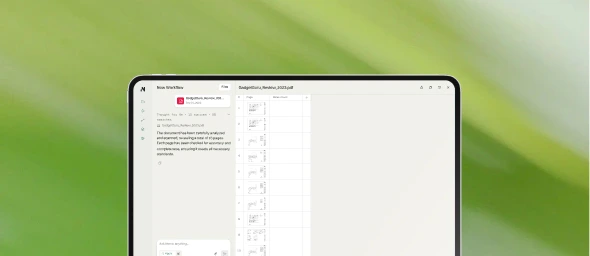
Multi-document reviews — like checking a full drawing set against code or comparing specs across projects — are now dramatically faster and more accurate. A new sub-agent system runs analysis across pages in parallel, while smart context compaction keeps even the longest conversations sharp and responsive. Learn more about the Assistant.

Advanced Admin Analytics and Audit Capabilities

Give your security and IT teams full programmatic control with new Admin API endpoints for user management and API key provisioning. Audit webhooks deliver real-time event data to your SIEM/SOAR systems, and expanded audit logs now cover all API-based activity. Learn more about identity & access.

Also new

  • File & folder attachments — attach files and entire folders directly to any conversation, or start a chat from any file in your drive (Files docs)
  • Workflow builder improvements — designing and sharing custom workflows is faster and more intuitive (Workflow docs)
  • Usage & billing — clearer usage data, invoice history, and proactive usage limit banners across the platform (Analytics & monitoring)
  • Excel-compatible tables — the assistant can now generate tables you can export directly to Excel with one click
  • Model selector — choose which frontier model (Claude 4.6 Sonnet, Claude 4.6 Opus, Gemini 3.1) powers each conversation, right from the chat bar
  • Conversation branching — edit any assistant message to branch the conversation in a new direction without starting over
  • Chat management in Projects — rename and delete assistant chats inside projects to keep your workspace organized

Automated Drawing Review

Nomic now automates QA/QC of construction drawings using your firm's knowledge. Manual drawing reviews are time-consuming and inconsistent; Nomic Assistant applies AI-driven drawing standards checks across entire sets so you can focus on high-value design decisions.

Drawing review

Connect your project data via Autodesk Construction Cloud or Bentley ProjectWise, or upload drawings directly. Nomic consolidates files from multiple sources into a single searchable index, so every review is grounded in your actual project documents. No manual file organization required — tag your files and Nomic handles the rest.

Automated Drawing Review in Nomic

Upload a drawing set to launch a QA/QC check. The assistant runs the review and reports critical and minor issues; results feed into the Issues table. Tagged files are indexed for quick retrieval and analysis, enhancing project oversight and consistent quality checks.

What's new:

  • Consistent quality every time — Every drawing gets the same thorough review. No more variation between reviewers or rushed checks before deadlines.
  • 10x cheaper to fix — Catch errors during design when they cost hours to fix, not during construction when they cost weeks.
  • Fits your existing tools — Export markups to Bluebeam, PDF, or your current review software. No new tools to learn or workflows to change.
0:00 / 0:00
Select a workflow and upload a drawing set to start the QA/QC check. The assistant analyzes your drawings against your firm's standards.
0:00 / 0:00
See how the analysis runs and how results appear in the Issues table — critical and minor issues with clear references to the drawing.

Full details on capabilities, integrations, and outcomes are on the use case page.

Learn more about Automated Drawing Review

Product Updates

This month, we launched 6 powerful new features to help you accelerate delivery across your projects. Here's the rundown:

New Template Workflows

We've added new ready-to-use workflow templates including Drawing Standards Check and Code Compliance — now available on all instances out of the box. Explore our workflow docs.

New workflow templates

Background Agent Mode

For complex, multi-page document reviews, the agent now runs as long as needed to complete the task.

Perfect for workflows like drawing standards checks across hundreds of pages.

Workflow Planner

Design custom workflows interactively through conversation. The agent guides you through gathering requirements, designing prompts, and automatically generates your workflow.

Task Tracking (Todos)

The assistant can now track its progress with a visual todo list. Benefits:

  • See what's been completed and what's left
  • Especially useful for multi-step document analysis

Table Export

Quickly export any table the assistant generates — copy as markdown or download as Excel with one click.

Usage & Billing Dashboard

New admin pages to track usage by user or model, plus billing details with full invoice history.

Usage & Billing Dashboard

Also new

  • Assistant is now the default home screen
  • Add files directly from the chat bar
Add files directly from the chat bar

Egnyte (opt-in availability) integration now available (Ask Nomic to enable Egnyte!)

Projects (opt-in availability): Organize your work into dedicated project spaces. Create projects, attach relevant files, and keep your chat history organized by project — all accessible from the new sidebar. (Ask Nomic to enable Projects)

Projects — organize work into project spaces
Nomic agents work in your project delivery software and tools
SharePoint
Egnyte
Autodesk Construction Cloud
ProjectWise (Bentley)
Google Drive
Dropbox
Box
Microsoft Teams
Gmail
Outlook