Large language models and general-purpose AI tools have made impressive strides across many industries. Software engineers use coding assistants daily. Marketing teams generate copy in seconds. Researchers synthesize papers at scale. But when these same tools are applied to architecture, engineering, and construction, something breaks down.
The gap is not about intelligence — it is about distribution. Foundation models are trained on internet-scale data: web pages, books, code repositories, and forums. The built world operates on a fundamentally different corpus: construction drawings, structural calculations, building codes, specifications, and decades of institutional knowledge locked in firm file servers.
The Distribution Problem
Consider a typical architectural drawing set. A 94-page document contains 2D views exported from 3D modeling software, dense with annotations, symbols, line weights, and cross-references that carry precise engineering meaning. A general-purpose vision model sees pixels. A domain-specific model sees a structural grid with column callouts referencing a schedule three sheets away.
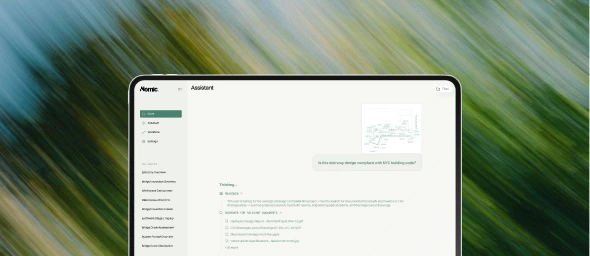
This distinction matters enormously for practical tasks. When an engineer needs to verify that a beam size matches the structural calculations, or when a code reviewer checks whether egress widths comply with the applicable building code, the AI system needs to understand the visual language of construction documents — not just recognize text.
Standard OCR pipelines lose critical information. Vision-language models trained on web images lack the vocabulary of construction. Embeddings trained on Wikipedia articles cannot meaningfully cluster MEP coordination drawings by system type.
What Domain-Specific Means in Practice
Building AI systems that work in AEC requires investment at every layer of the stack:
Parsing: Construction documents are not PDFs with text. They are high-resolution, multi-sheet, symbol-dense technical drawings that require specialized parsing to extract structured data — title blocks, revision clouds, detail callouts, keynotes, and geometric relationships.
Embeddings: Semantic search over construction content requires embeddings trained on AEC data. A query like "fire-rated partition detail at elevator shaft" needs to surface the right drawing detail from thousands of sheets, not a Wikipedia article about fire ratings.
Retrieval: Retrieval-augmented generation in AEC must handle multimodal content — text specifications alongside drawing details alongside code requirements — and maintain the cross-references between them.
Reasoning: Checking a drawing against a building code is not a simple lookup. It requires understanding which code applies, which sections are relevant to the specific construction type and occupancy, and how the drawing details map to code requirements.
The Path Forward
At Nomic, we believe the next wave of AI impact will come from systems purpose-built for domains that foundation models cannot reach. The built world — with its trillion-dollar economic footprint, its complex multimodal documents, and its deeply specialized workflows — is exactly this kind of domain.
Generic AI is a starting point, not a destination. The firms that will benefit most from AI are those that invest in tools built specifically for how they work, with models trained on the data that matters to their practice.
We are building that future. If you want to see what domain-specific AI looks like in action, book a demo of the Nomic Platform.